

Many people, including me, desire to write a book and want to share stories or teach people what we know. Kindle Direct Publishing (KDP) helps everyone to do this. Authors can publish their books on Amazon, and millions of people can view them around the world.
This vast audience gives an incredible opportunity for writers to reach readers who need their books. But these days, it can be very competitive and hard.
There are many steps involved, and it takes a lot of time. How do you overcome it? The short answer is tools! These special tools can reduce your pain. They help authors save time, and more importantly, they help you make more money.
This guide shows the best KDP tools for self-publishing. Using tools helps bridge a gap in KDP. Without them, each book can take much effort and time. This means an author can create and list many more books. More published books lead to more ways to earn money.
They also raise the chance of your books selling well. Tools are not just assistants. They make KDP a real business that can grow and be more profitable for you.
Why Do You Need Tools to Publish Your Book On KDP?
Before jumping into the tools section, let’s find out why you need them to publish your book on KDP. Tools help you in many ways. First, they make your hard work simple. These are not hard work, but they kill time.
Tools help you do them fast and give you more free time. Third, they can find valuable data for you, like what people search for on Amazon or what books they buy.. Tools help you get this type of insight.

Without tools, we can only guess what to make. Like, you pick based on what your favorite is or what others say. But it is risky. You publish a book no one wants. Tools find out what your audience wants.
Then you make that book. This cuts the risk.. It’s not just about speed. Tools help you understand what works. They make KDP clearer and safer.
Writing & Outlining Tools
These foundational tools help you write your book and build your manuscript. They make it clear and structure your narrative. You can type your words, move things around, and fix mistakes.
They let you focus on your ideas, not the hard parts of writing with these tools, you can stay on your track. They are great for new writers and also those who have written books before.
Atticus
Atticus is an effective, cross-platform software compatible with Windows, Mac, Linux, and Chromebook, designed to benefit both as a writing and formatting tool for ebooks and print books.

It’s designed to combine the best functionalities found in popular writing and formatting applications such as Vellum, Google Docs, and Scrivener into a single, reliable, and user-friendly interface.
Atticus features:
- Can create beautiful chapter themes, change fonts, adjust the layout, and add images.
- Preview how your book looks on a Kindle Device.
- A clean word processor
- Word counts and goal tracking
- Front/back templates
- Reusable elements (like author bios)
- Built-in spell check and ProWritingAid integration
- Collaboration tools for co-authors and editors
- Dark mode available
- Plotting tools for story planning
- A cloud-based app so your work is always saved,
Previously, authors depended on separate tools for drafting their plots (a word processor) and then for preparing them for publication (a separate formatting program).
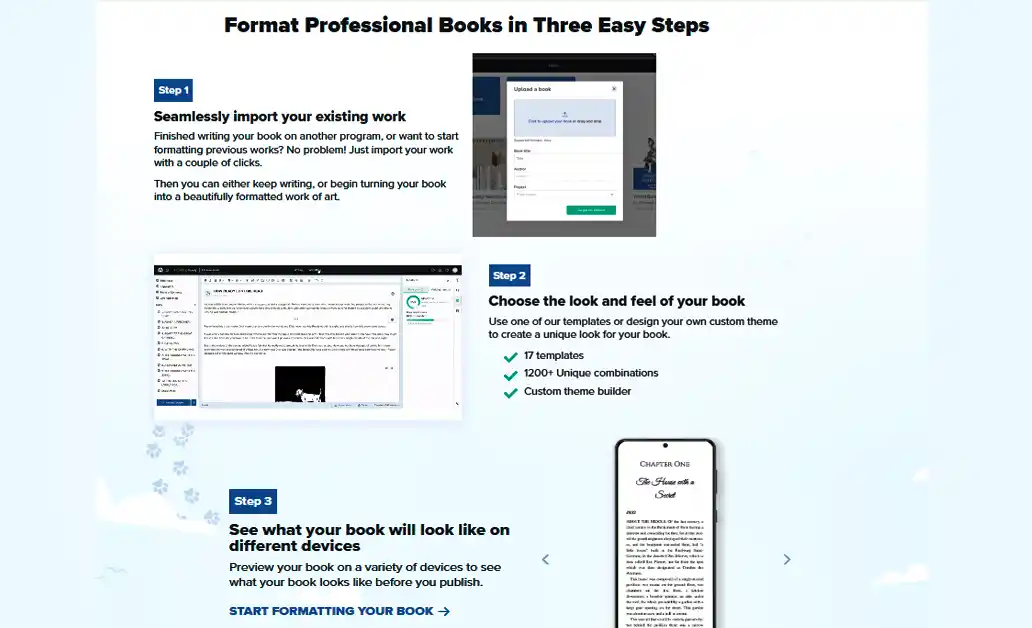
Atticus is ideal for authors who want to write and format books without using multiple apps. It’s a great alternative to Vellum and useful for non-Mac users; their support is helpful if you ever need it. Atticus is available for $147 as a one-time purchase and will include all future updates.
Scrivener
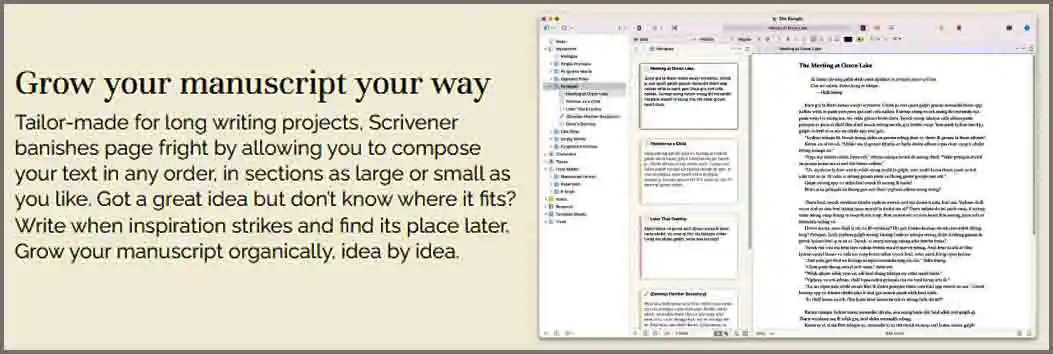
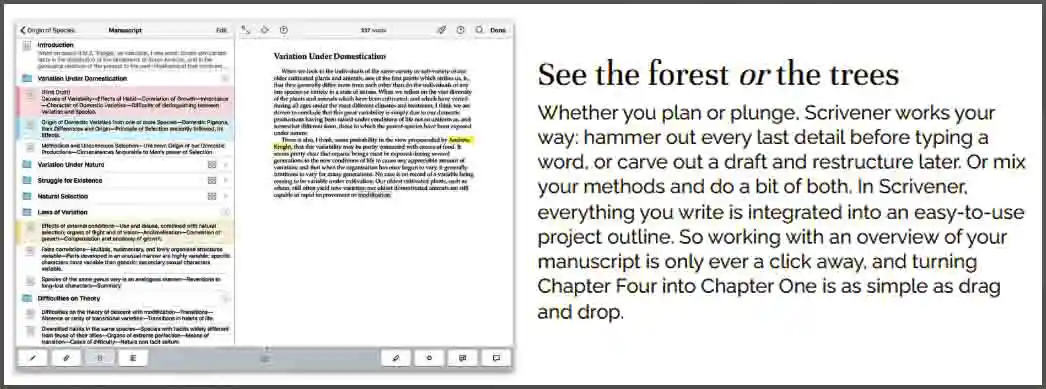
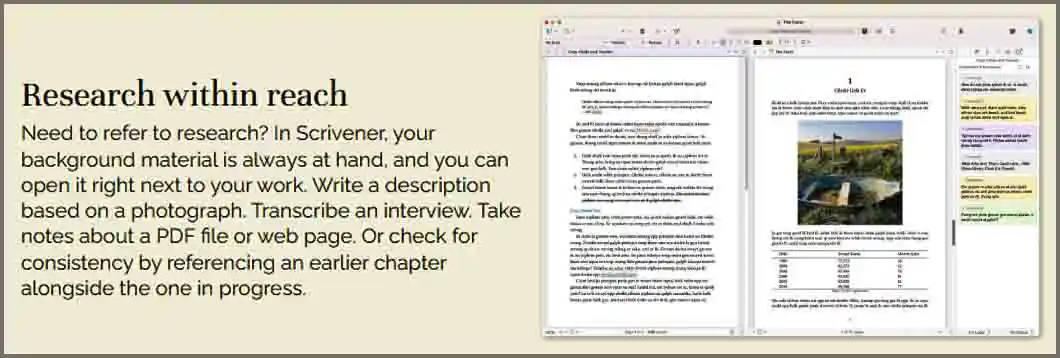
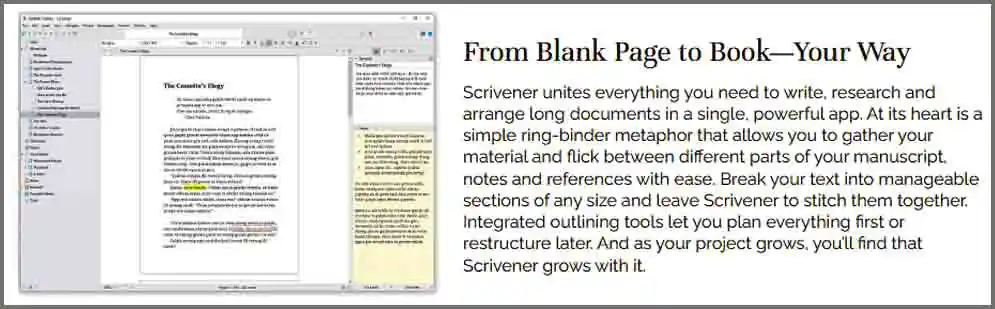
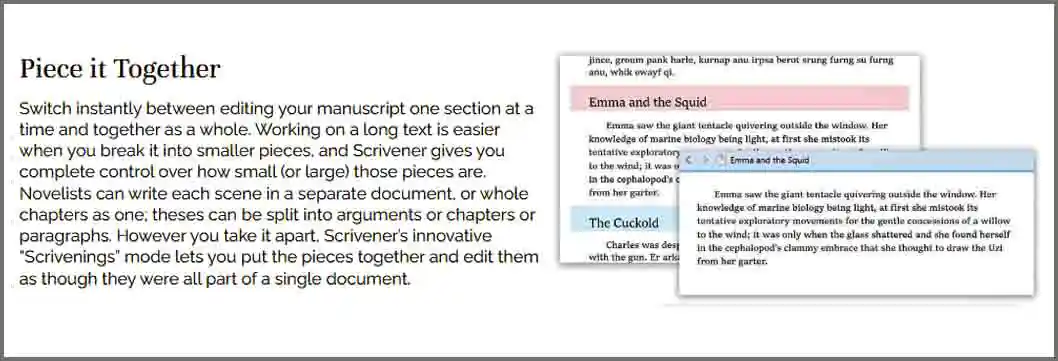
Scrivener is a writing tool designed for large projects such as books, research, and academic work. It helps you organize notes, chapters, and drafts all in one place, making it easy to manage everything.
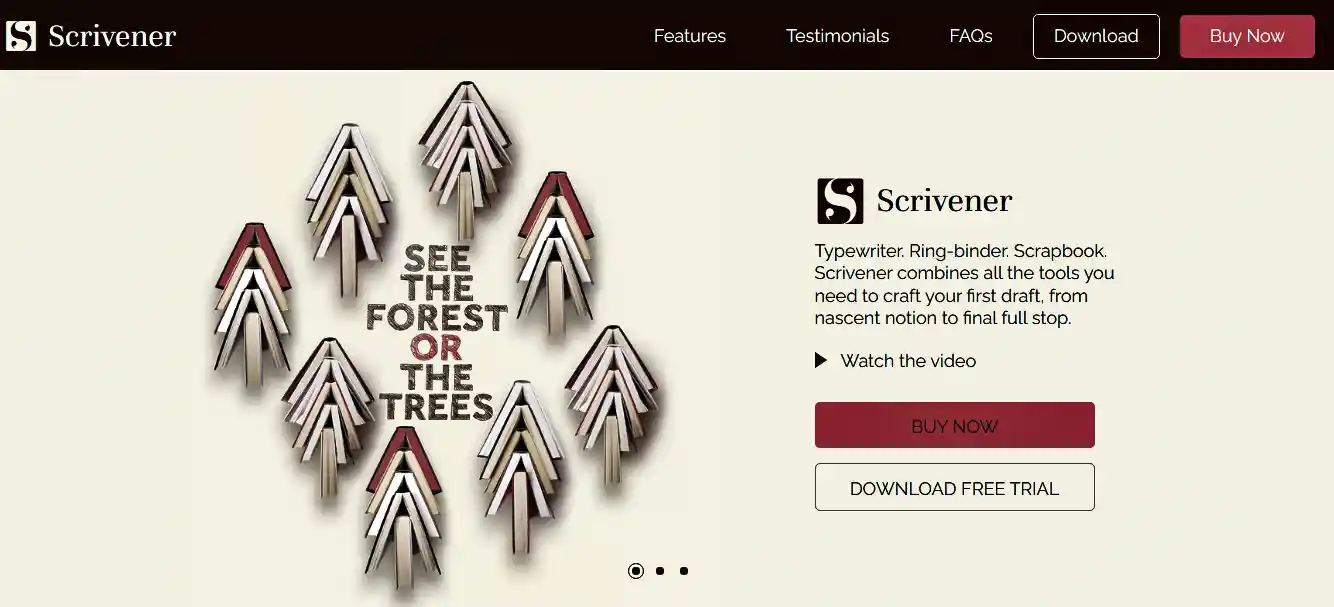
This makes it only a tool for writers who like planning and organizing. You can export your book in so many formats, like EPUB, PDF, or Word, for publishing on Amazon KDP.
Scrivener Features:
- Best for large books (over 1000 pages)
- Good chapter organization
- The snapshots feature helps to save versions of the work
- 30-day free trial (only counts days you use it)
- Weak customer support
- Not ideal for writing complex books.
Key features like Corkboard, Snapshots, and Compile make it easy to move chapters, track changes, save versions of your work, and export it for publishing. Scrivener is perfect for writers who like structure and detailed planning.

Scrivener is an app available for Windows and Mac Its full version is available for $59.99 for Mac and Windows as a one-time purchase educational license for students costs you $50.99.
Plottr
Plottr is a downloadable plotting software for authors, available on Windows, Mac, iOS, and Android. It’s developed to help writers outline their stories using templates and customization tools.
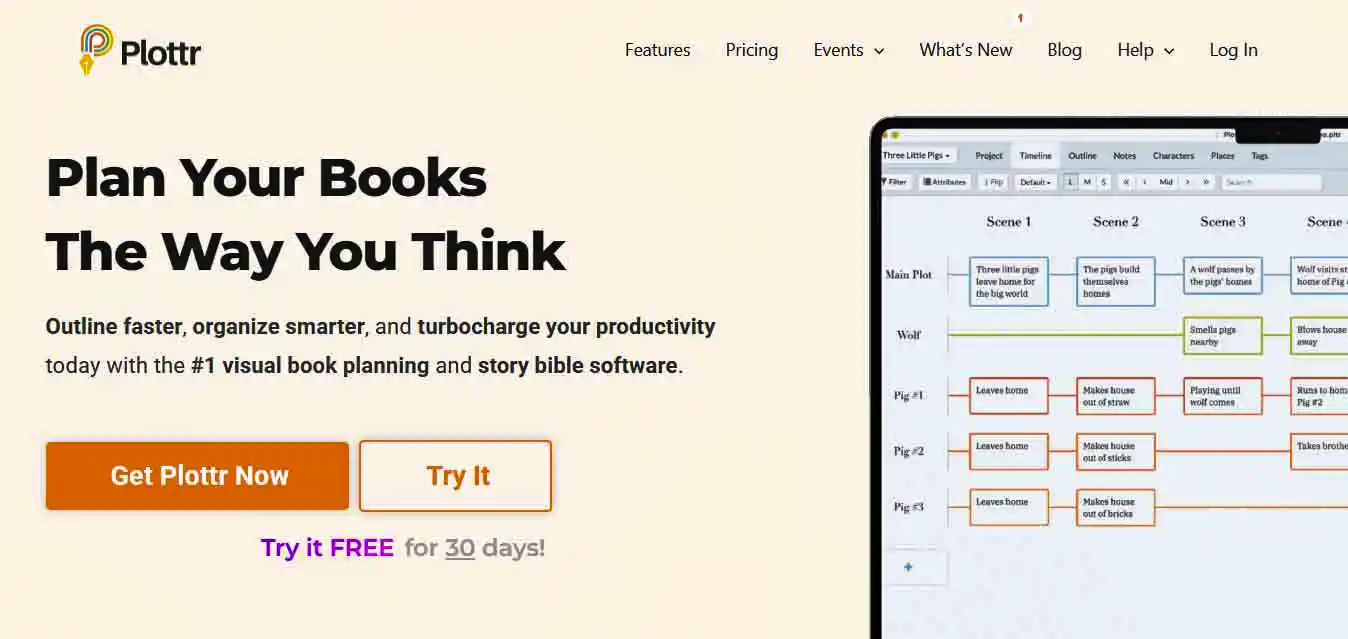
This tool is best for fiction authors. It offers a clean, user-friendly interface with a guided tour for beginners. Plottr doesn’t support actual writing within the app.


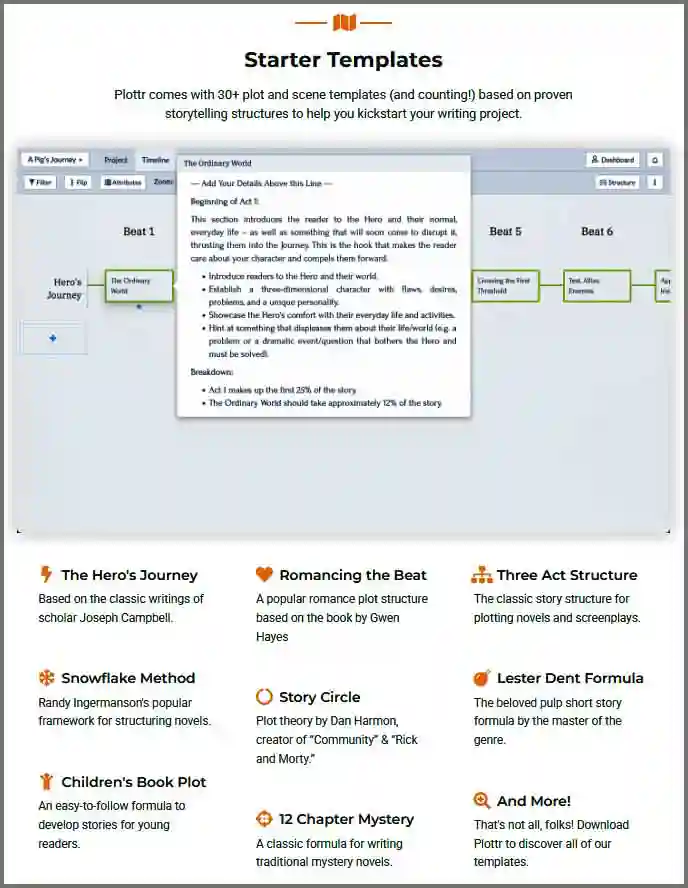
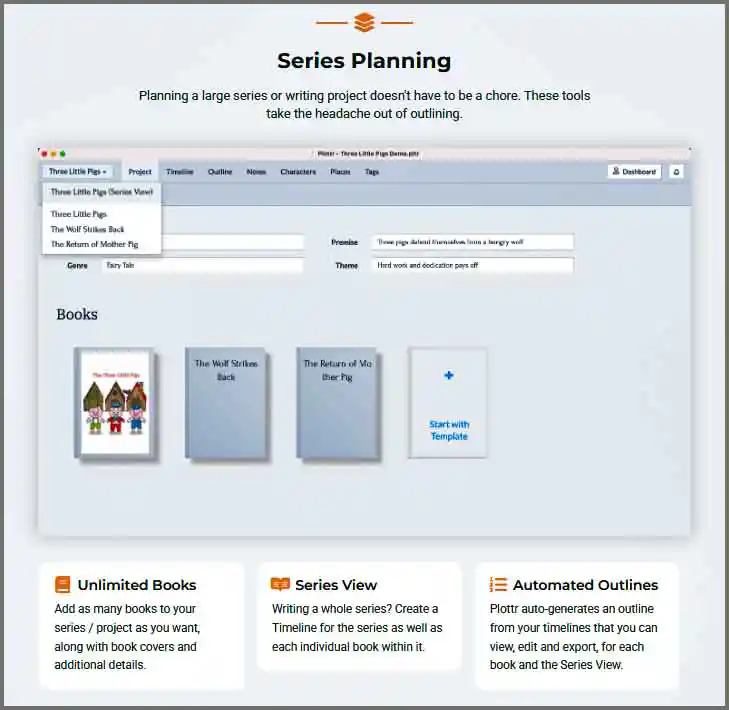
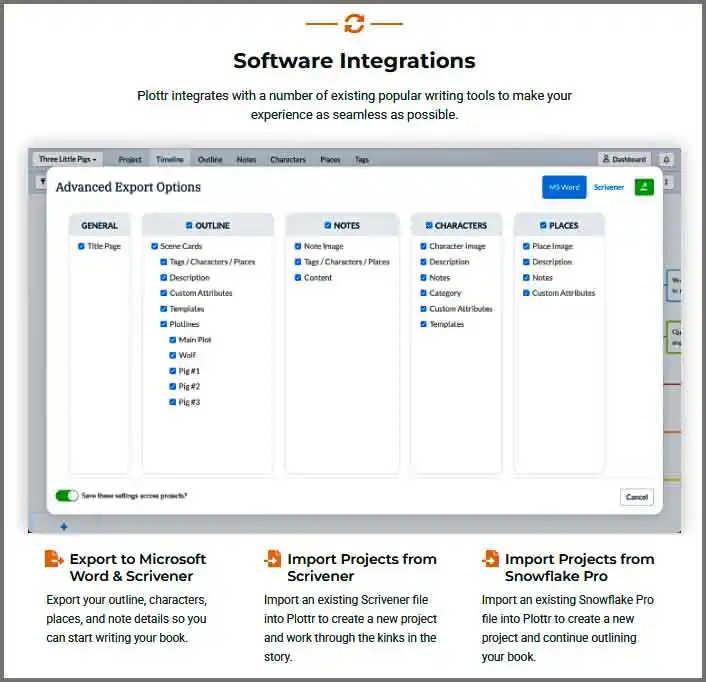
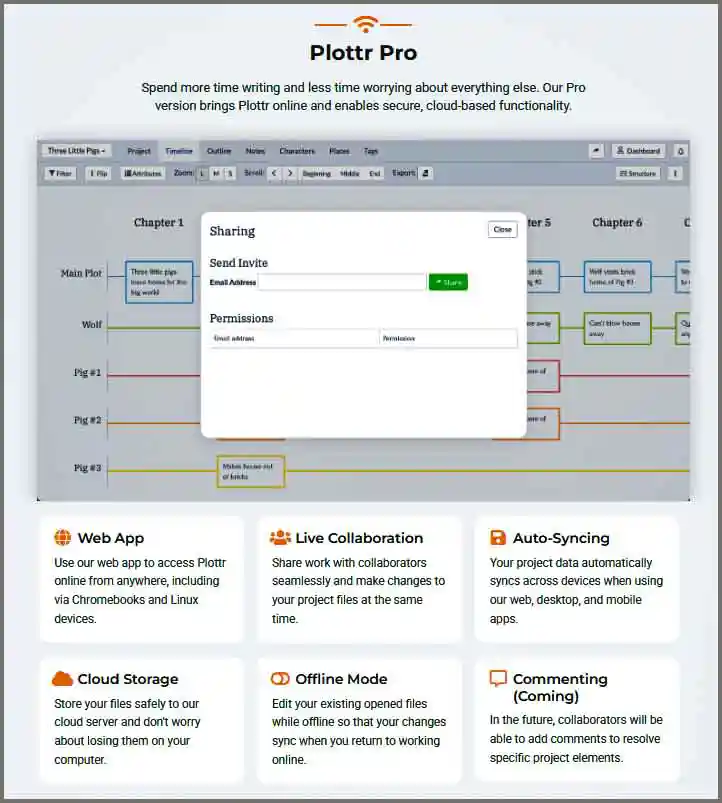
It excels at helping you organize your plot lines, characters, and scenes and lets you export everything to tools like Word, Google Docs, or Scrivener.
Plottr Features
- Plotting software for authors
- Drag-and-drop interface
- Allows users to create a visual timeline for their story angles.
- The export function helps export everything to Word, Google Docs, or Scrivener.
- Assists in creating detailed profiles for characters.
- Enables tracking key plot points and scenes
- Affordable pricing with a 30-day free trial
- No built-in writing area
- Performance glitches that may require restarting the app
Plottr is ideal for fiction authors who want an easy and flexible way to outline their stories. While it lacks combined writing tools, it stands out for its simplicity, customization, and value for money. If you want to increase your productivity and simplify your plotting process, you can invest in Plottr.
Reedsy Book Editor
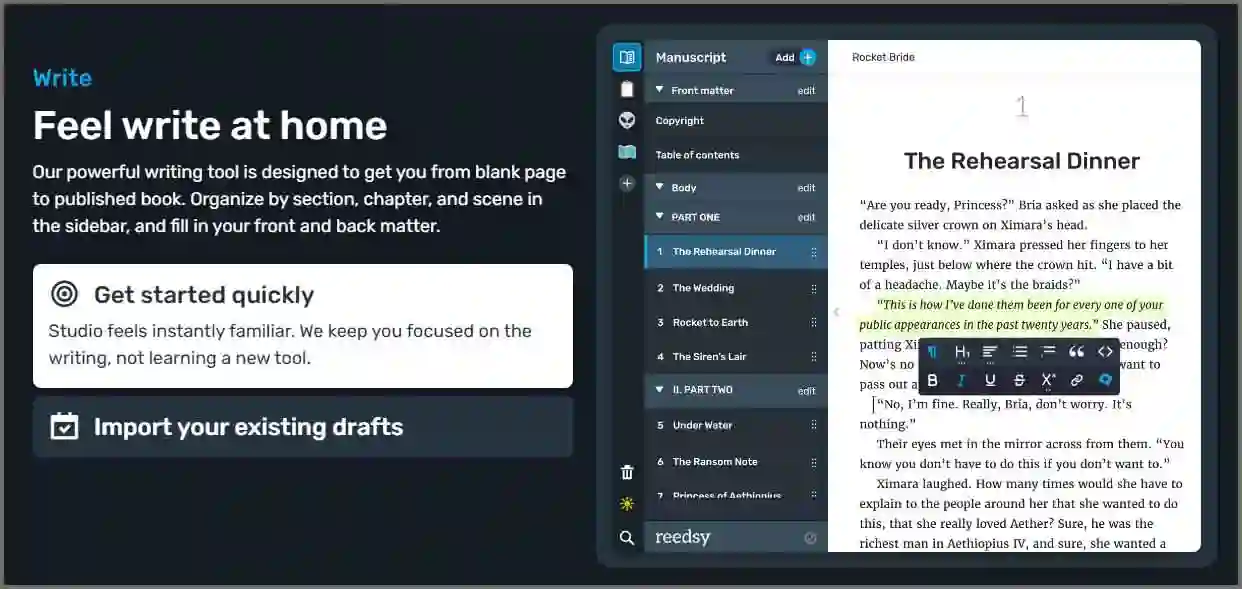
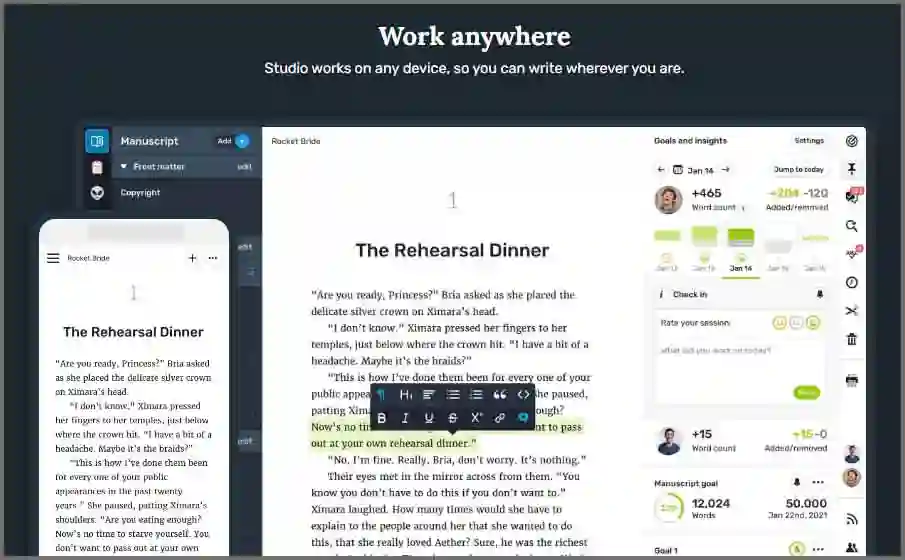
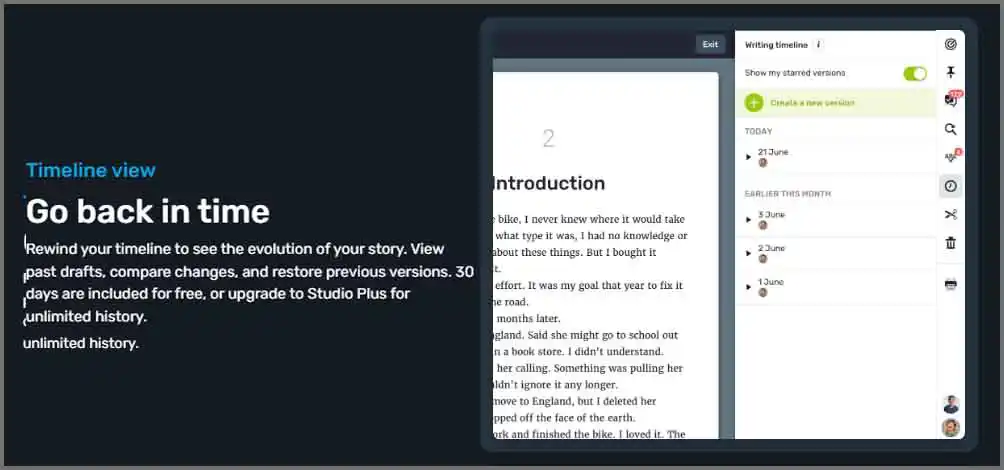
The Reedsy Book Editor is a free, user-friendly online tool that\ helps authors with every step, like planning, writing, editing, and formatting their books. Since it’s cloud-based, you can work from any device, and your work is always saved on their server automatically, so you never lose your progress.
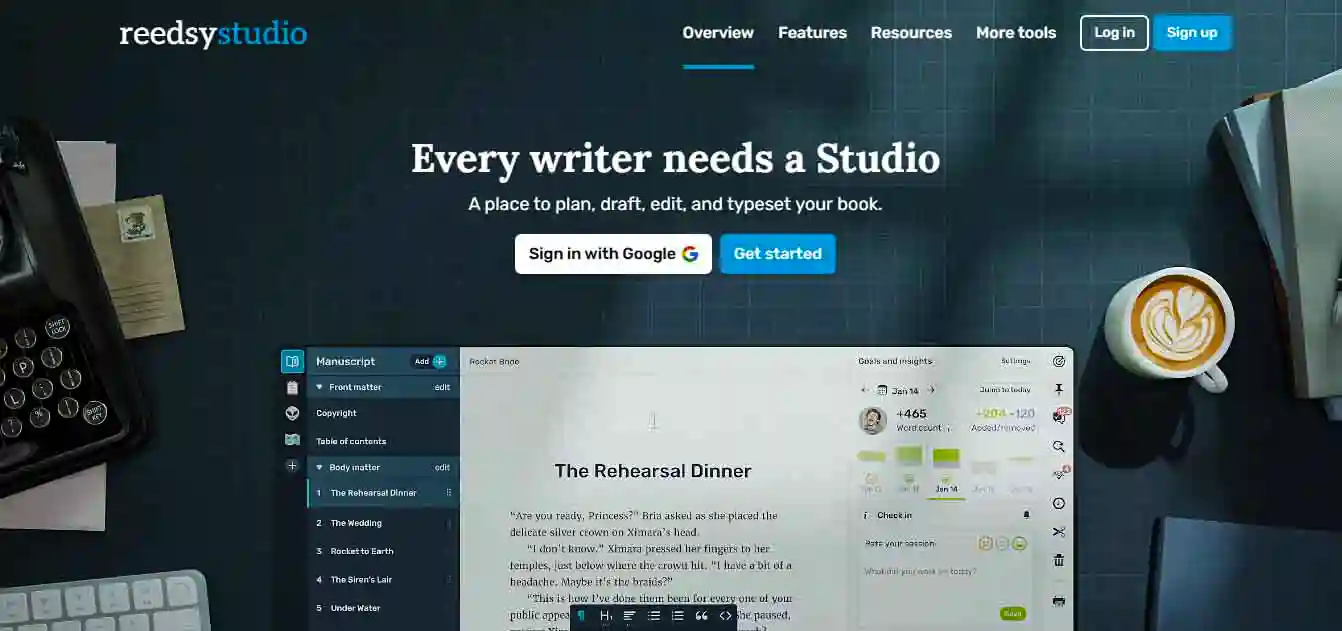
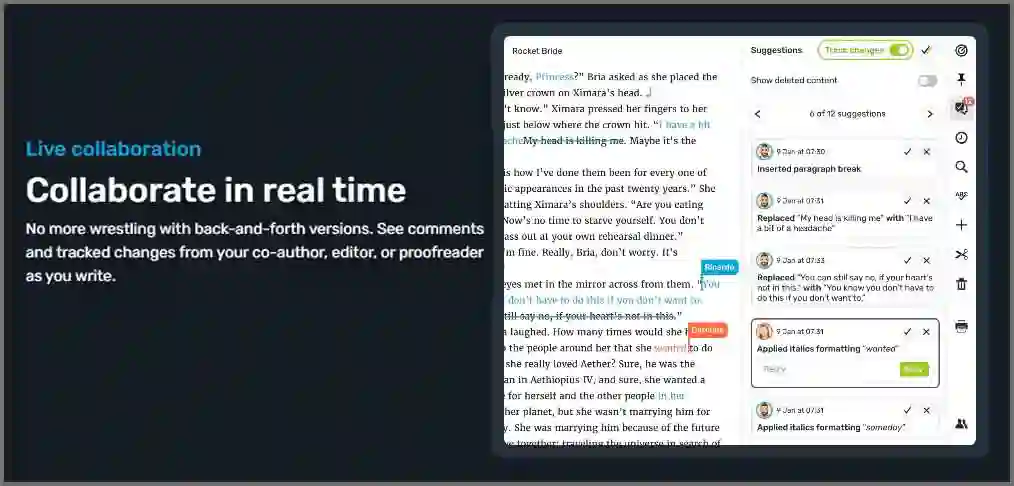
What makes it unique? It’s built to be simple, powerful, and accessible to all writers, no matter your budget or computer. It also features live collaboration, which allows you to work with your co-authors, editors, or designer in real time.
Reedsy Features:
- A clean, distraction-free writing space
- Easy navigation with a chapter sidebar
- Simple formatting tools
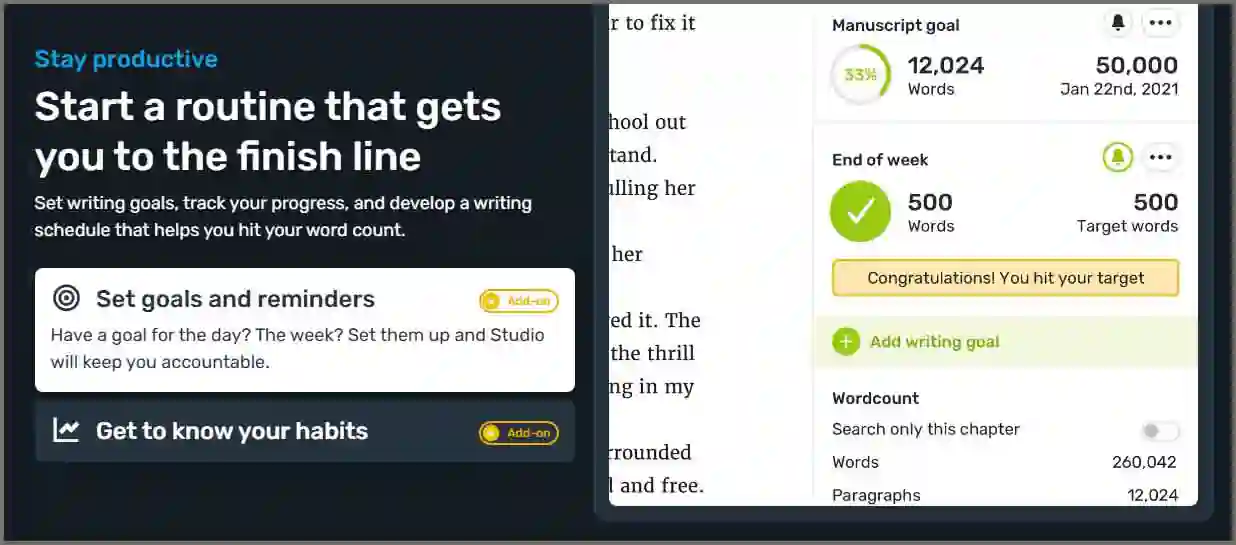
- Goal tracking
- Can hire a designer, editor, writer
- Boards to organize notes, characters, and research
- Import options for existing drafts
- Real-time editing with comments and track changes
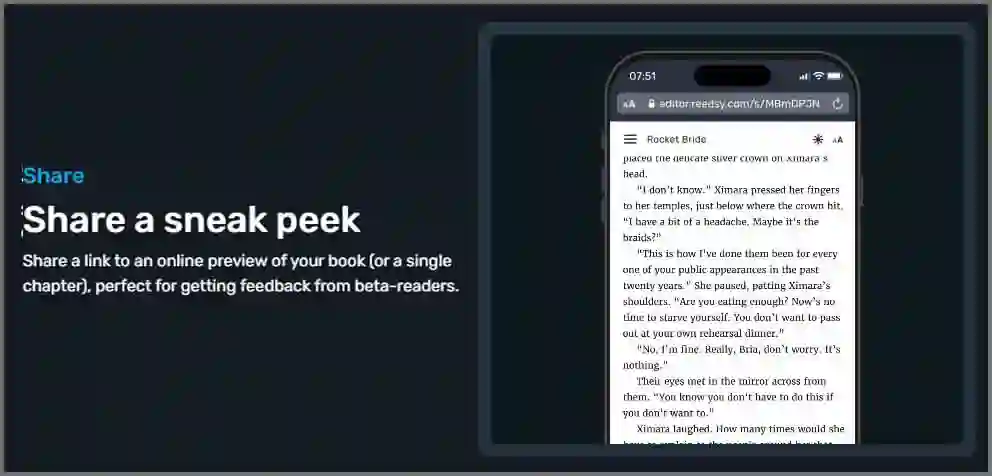
- Shareable online previews for quick feedback
- One-click export to professional PDF and EPUB format
Reedsy isn’t just a writing tool; it has a marketplace that connects you with experienced editors, designers, and other publishers. You can hire them for your projects and manage payments right inside the platform.

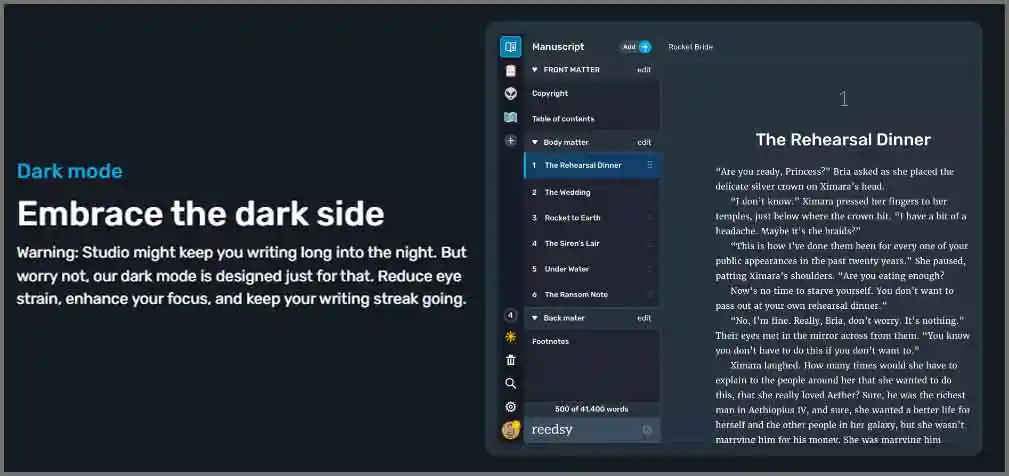
If you’re a Kindle author looking for a free, all-in-one writing and publishing tool you can try Reedsy Book Editor. You’ll only have to pay freelancer fees for the professional you hire to work on your project.
Editing Tools
Editing tools keep your writing clear, well-structured, and free of mistakes Cleaning up your manuscript can make a big difference in how successful your book becomes over time. Without editing your book feels messy, and your reader might leave a bad review.
ProWritingAid
ProWritingAid gives helpful suggestions and detailed feedback to improve your writing style. It’s not just your average grammar or spell checker; it teaches you how to write better. You’ll get insights into your writing habits and tips for improving. It’s perfect for serious writers who want to level up their skills.
Most grammar tools just fix the surface of your writing. But ProWritingAid goes deeper; it identifies deceptive patterns in any type of writing, such as the overuse of certain words or an excessive reliance on long sentences. It shows you why something is wrong and how to improve it.
ProWritingAid Features:
- Flags things like passive voice, hidden verbs, and wrong sentence structure
- The Word Explorer helps find the perfect word without overexposing the same ones.
- The Plagiarism Checker (available in Paid Plans) confirms your content is original.
- Showing how to write better content

This tool has a FREE trial version, which gives you access to basic grammar and style checks with limitations on word counts, and their premium version lets you use all the features, reports, integrations, and unlimited word counts ProWritingAid has several pro plans like $120 annually or Premium Pro plan $144 per year and the Premium Pro lifetime access cost you $699.
Formatting Tools
Formatting tools help your book look clean and professional. Whether someone reads it on a Kindle, tablet, or even in print, when everything is clear, organized, and easy to read, your readers have a better experience and are more likely to enjoy or recommend your book.
Kindle Create
Kindle Create is a free tool from Amazon that helps publishers format their eBooks so they look perfect on Kindle or any other device.

It has some limitations and doesn’t let you change everything, but it has a user-friendly interface, and ease of use makes it best for beginners, Kindle Create is free and helpful for many authors. It doesn’t support creative work, but for most books, it gets the job done correctly.
Kindle Create Features
- Free download from Amazon’s KDP help page
- Super simple to use
- Works well with Kindle eBooks
- Built-in preview for tablet, Kindle, and phone view
- Supports print books
- Drop cap feature
- Limited design choices
- Not always easy to make changes

If your project is complicated, like combining custom titles or using special formatting, you might need to try a pro tool like Atticus or hand-coding or hire a professional editor Kindle Create gives you nine text styles (like headers, subheaders, body text), but you can’t do much beyond that. If you know how to code, hand-coding gives you more control.
Vellum
Vellum is widely known as the “gold standard” for book formatting, especially for authors using Mac operating systems.
This premium tool is the best at producing elegant, professional ebooks and print editions smoothly. But Vellum is too expensive, especially for beginners, and no Windows or Tab version is available.
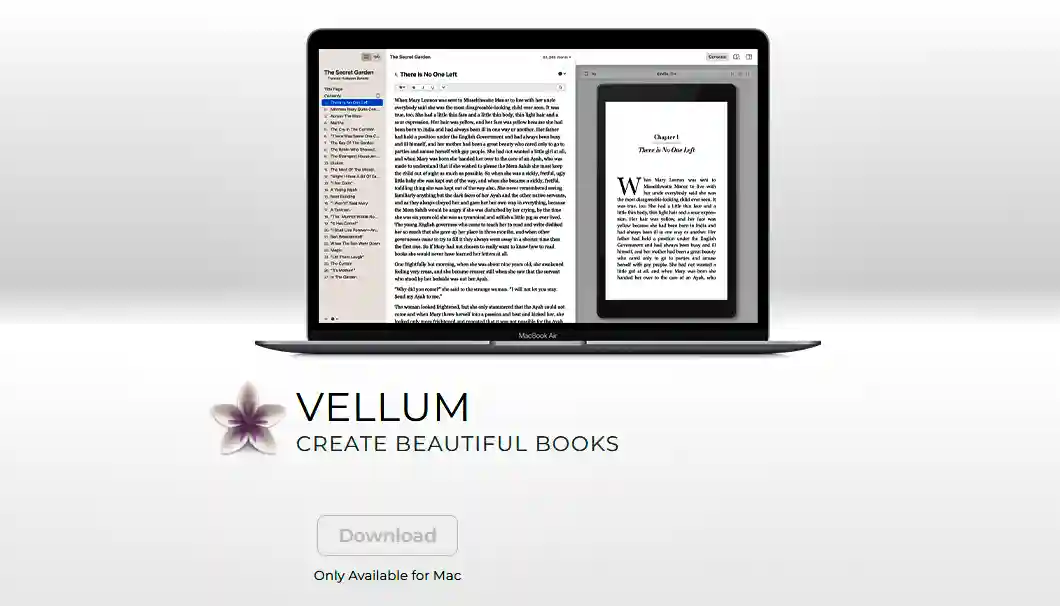
Key features include user-friendly import capabilities for Word (DOCX) files, automatic chapter detection, and a vast selection of beautiful “Book Styles” that instantly modify your creations, affecting elements like headings, first paragraphs, block quotes, and decorative breaks.
Vellum offers a wide preview mode, allowing authors to visualize their book across various devices and in the print edition, with real-time updates for every edit.
Vellum Features:
- Beginner-friendly easy to use
- Only imports Word (DOCX) files
- Make amazing-looking ebook and print edition
- Come with pre-designed book styles with just one click to apply
- Gives a preview of how your book will look on different devices
- Help make book sets (box sets) if you have a series
- Add names, co-authors, editors, and more
- Exports files that work with stores like Amazon Kindle
- A free trial is available, but need a pro plan to export
- Only works on Mac (no PC or iPad)
- Need a separate plan for the print edition
Its advanced layout design controls specific adjustments for margins, line spacing, drop caps, and a detailed list of widows, providing a professional-grade impression. Atticus is the best and cheapest alternative to Vellum.
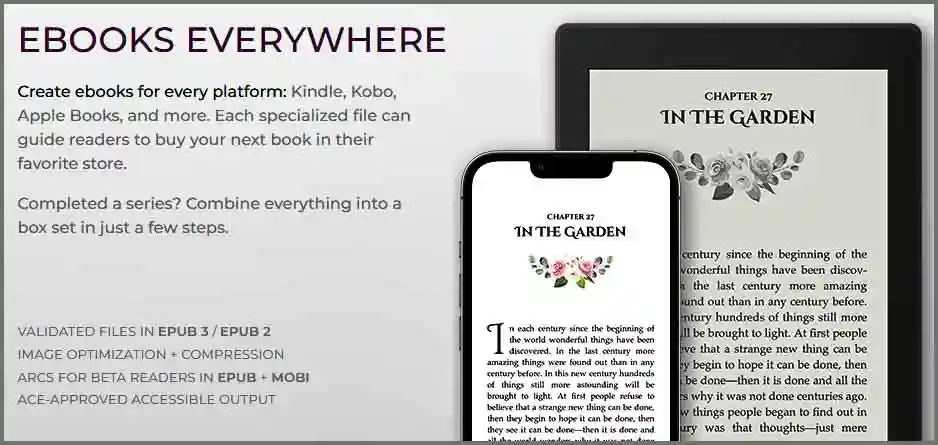
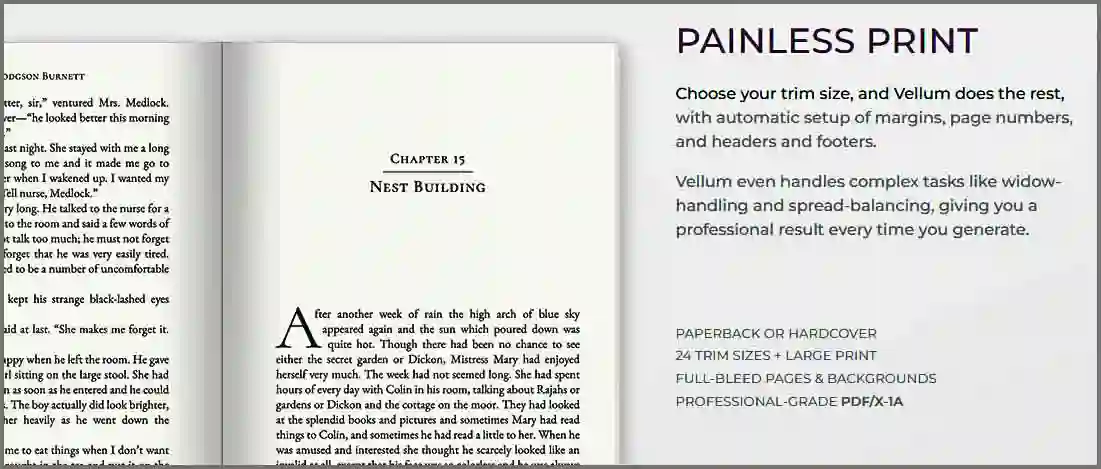

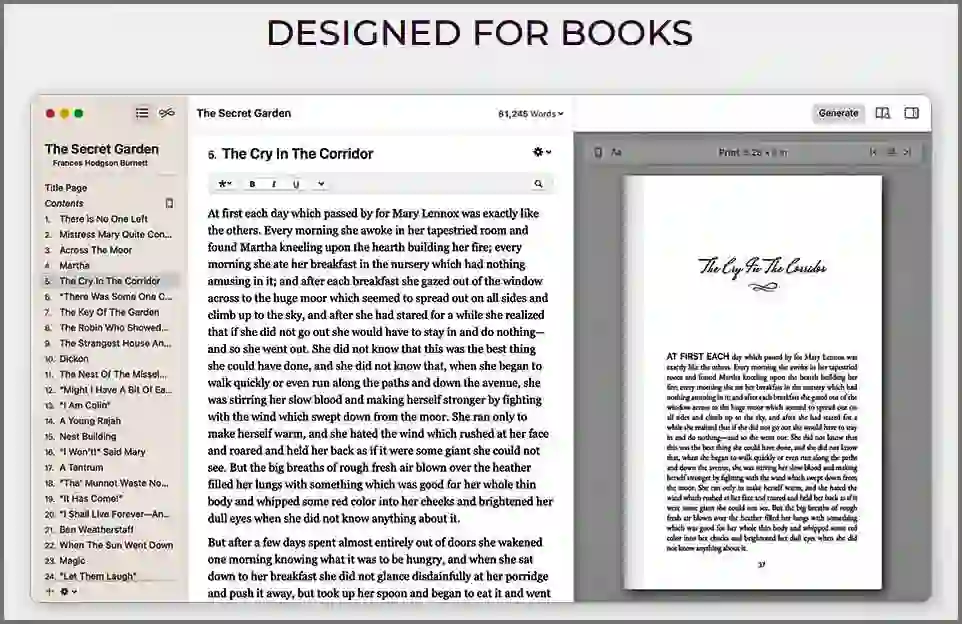
Vellum is available in two one-time purchase plans Vellum Ebooks (unlimited ebooks) $199.99, and Vellum Press (Unlimited Ebooks and Paperbacks).
Cover Design Tools
Your book cover is the first thing people see, so it needs to look great on any device! Cover design tools can help you create a professional and eye-catching cover; it also helps if you’ve published a printed book. A clear and professionally designed book cover attracts your potential readers and gets clicks or drives sales in your store.
KDP Cover Creator
KDP Cover Creator is a free, web-based tool from Amazon that helps authors design and customize covers for their ebooks, paperbacks, and hardcovers. This tool integrates with the KDP title setup process; it automatically settles book details and adds the ISBN to the barcode area on the back cover.
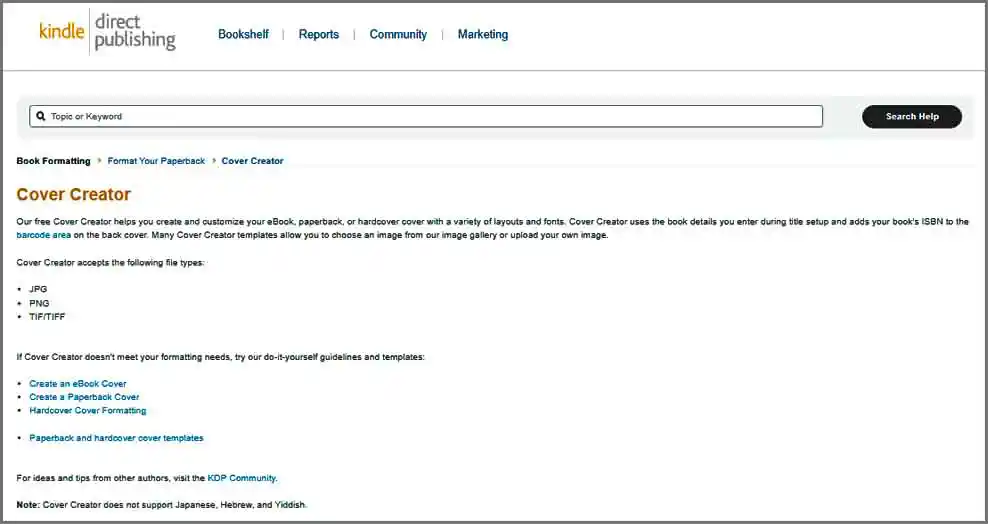
This free tool makes cover design accessible even for authors with no prior graphic design experience or a limited budget. Its “free” nature, combined with a variety of layouts and fonts, provides an important starting point for new self-publishers to create a basic, functional cover without using expensive software or professional assistance.
KDP Cover Creator Features:
- Ready-made different book cover designs to start quickly
- Use pictures from KDP’s Image Gallery
- Upload your own images – Supports JPG, PNG, and TIFF files with 300 DPI
- Helps with print management – Shows you how to add “bleed,” so pictures go all the way to the edge of the page
- Easy and user-friendly interface, but everyone uses the same templates
- The cover might not stand out as much as one made by a pro
The tool offers a selection of book cover templates and an image gallery and also allows authors to upload their own images (supporting JPG, PNG, and TIF/TIFF formats with a minimum resolution of 300 DPI).
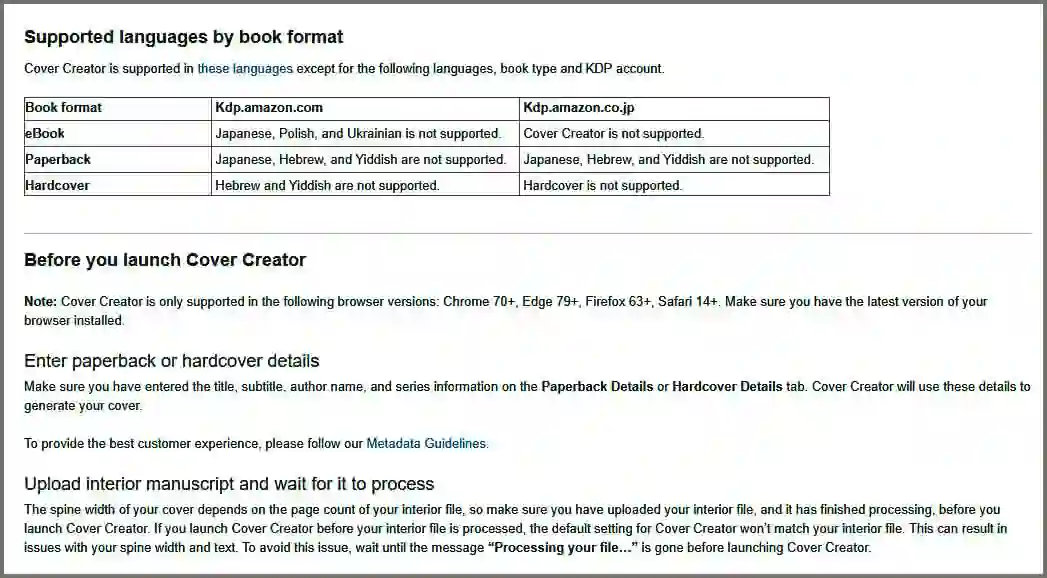
It provides guidance on basic print requirements such as bleed (images extend 0.125 inches beyond the trim line). While KDP Cover Creator enables the creation of functionality, its template-driven nature may limit its uniqueness compared with custom-made covers.
Canva
Canva is a widely popular online graphic design platform that offers user-friendly features, allowing authors to create professional-looking book covers even if they’ve never designed anything before.
Canva is easy to use because it has a drag-and-drop system that helps you get your desired-looking cover design until it looks just right!
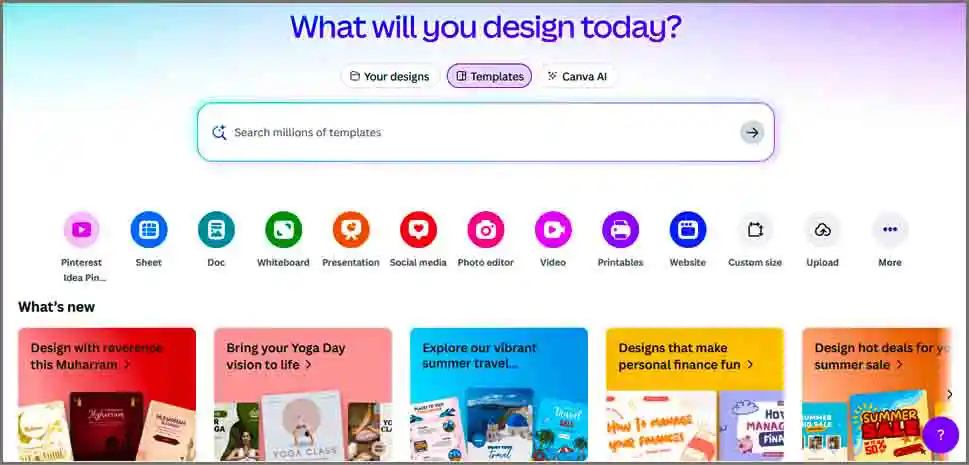
You can make your cover in the exact size you need, including the spine width for printed books. You don’t need to spend a lot of money on a designer when you have Canva. It gives you lots of control over how your book looks, which is important when you’re selling on Amazon or other online stores.
Canva Features:
- Drag and drop design interface without any graphic skills
- Your book looks professional without hiring a professional designer
- Massive collection of shapes, lines, graphics, fonts, and stock photos
- Upload your own images, illustrations, and fonts, logo!
- Remove image backgrounds in one click.
- Filters and effects convert your design to look professional
- Save your cover as PNG, JPEG, or PDF, which is best for uploading to Amazon KDP
People often decide to click on a book just because the cover looks interesting. A great cover gives your book a better opportunity to get attention and make sales.
Canva is cloud-based and has a huge collection of design tools and images you can use. There is are huge collection of fonts, shapes, graphics, and free stock photos. You can also upload your pictures, remove backgrounds, and add filters or special effects to make your design appealing.

You can change how bold or soft things look, layer them in different ways, and even adjust the transparency. When you’re done, you can download your cover in high-quality formats like PNG, JPEG, or PDF. These are perfect for submitting your final book cover to Amazon KDP.
Canva helps you build a strong visual brand that stands out in any online bookstore. So if you want a tool that’s easy and affordable, Canva is worth trying!
Discoverability & Market Research Tools
After you finish writing your book, the next step is helping people find it. That’s where discoverability and market research tools come in. These tools help you find out what readers are looking for and how to make your book easier to discover on the Amazon algorithm.
The better people can find your book, the more likely they are to buy it. Let’s take a look at some tools that can help you stand out and succeed on Kindle Direct Publishing (KDP).
Publisher Rocket
Publisher Rocket is an easy-to-use tool made just for Amazon KDP authors. It helps you find popular search terms that readers are already typing into the Amazon search. When you add those words to your book’s title, subtitle, or description, it’s easier for people to find you.

You can use Publisher Rocket to get an idea to choose the right categories that help your book rank higher and maybe even become a bestseller! Plus, you can spy on what your competitors are doing and see which books are doing well, how much they’re selling for, and how you can stand out.
- Finds great keywords – Helps you discover words people search for on Amazon search.
- Shows the best book categories – Identify the right category for your book
- Check out the competition – You can see what other books are doing and how to make yours stand out.
- Validates your book idea – Helps you find a topic that has a good chance of selling before you even start writing.
These help you make better decisions without wasting time. After all, a beautiful book with the best writing won’t matter in places like Amazon, where thousands of books are published every day. Publisher Rocket is just even better with new updates from Audible.


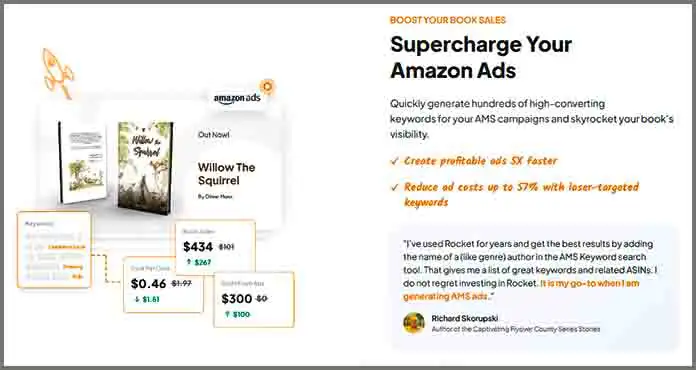
That helps authors see how books are doing on Audible. Publisher Rocket comes with a $199 one-time purchase with all future updates.
Choosing the Right Tools for Publishing
Choosing the best tools for your self-publishing journey requires careful consideration of several key factors like Budget, Operating System, Book Type, and Personal Workflow there is no single tool that perfectly addresses your every need.
Budget: If you do not have a budget or want to spend money, you can start with free tools like Kindle Create, KDP Cover Creator, or Reedsy Book Editor. These gives you the basics to start your book without paying anything.
But if you ready to invest a little, paid tools like Atticus, Vellum, Scrivener, ProWritingAid, and Publisher Rocket give you more powerful features. These tools can make your work smoother, your book look more professional, and increase the chance of selling.
Operating System: Compatibility is a critical factor. Check which tools work with your device. Some, like Vellum, only work on Macs; others, like Atticus, Scrivener, and Publisher Rocket, work on both Windows and Mac and sometimes even on Chromebooks or Linux.

Book Type: The nature of your book should directly depend on your tool preference. Like what kind of book you’re writing, if your book is mostly text-based, Kindle Create might be enough for your project.
But if your book is more complex with lots of parts or research, you might consider something like Scrivener or Plottr to organize it. And if your book requires fancy designs or images, tools like Vellum or other design programs can help make it look appealing.
Personal Workflow: Everyone writes differently, so you need to consider how you like to work. Some creators want everything in one place tools like Atticus or Reedsy are great for that. Others like using different tools for each part of the procedure.

For example, an author writes their story using Scrivener because it helps keep things neat and organized then they use ProWritingAid to fix their grammatical mistakes and, after that, they could design a book cover using Canva, which is easy to use To make the book look appealing on Kindle or in print, they might use formatting tools like Atticus or Vellum.
Finally, they can use Publisher Rocket to choose perfect keywords and the right categories. Publishing a book on Amazon KDP is complicated; there is no single tool that can do everything perfectly.
That’s why many successful authors use a mix of different tools to get their job done right. By using the best tool for each step, authors save time, create better books, and reach more people.
Conclusion
Publishing your book on Amazon KDP is about more than just writing a great story. It has several steps and the right tools to turn your writing into a professional, best-selling book that readers can easily find and enjoy.
Free tools like Kindle Create and KDP Cover Creator are great ways to get started and learn how things work. But as you grow and want to do more, using tools like Atticus, Vellum, Scrivener, ProWritingAid, and Publisher Rocket can make a difference.

These tools help save time, improve quality, and help your book in front of more readers. Choosing the right tools is not just spending money; it’s a smart way to build your future as an author and make your self-publishing business successful.
We forgot to mention some great tools that can help you a lot more, especially for cover design, illustrating children’s drawing books, and more, Adobe Photoshop or Adobe InDesign. Professional book editors utilize Photoshop and InDesign together to make their books look great and appealing, but you need graphic design skills to use them.